Translate

Sunday, December 29, 2013

SPM Fixing (SPM:- SQL PLAN MANAGEMENT).

1) Identify the problematic query.

In my example say.
afcd3rktapas1

It is taking lots of buffer gets when optimizer_features_enabled='11.2.0.3'

select sql_id,DISK_READS,BUFFER_GETS,executions from v$sql where sql_id='afcd3rktapas1';

SQL_ID DISK_READ BUFFER_GETS EXECUTIONS
------ --------- ----------- ----------
afcd3rktapas1 364958 67544379 0

Sqltext.
---------
UPDATE C SET T = (SELECT
NVL(SUM(C.G(NVL(E.T,0.00),G
.A,'INR','NR',:B4 )),0.00) FROM E,G,C A
WHERE G.A = E.A AND A.A = G.A AND
G.BA != '16050001' AND A.A =
C.A AND A.S = C.S AND
A.L = C.L AND A.L =
C.L AND A.S = G.S AND A.L
= :B2 AND A.L = :B1 AND A.SET_ID = :B3 AND
TO_DATE(E.E) <= TO_DATE(:B4 ) AND TO_DATE(E.END_E)>=
TO_DATE(:B4 ) AND (G.S = 'O' OR G.S='O')) WHERE
SET_ID = :B3 AND L = :B2 AND L = :B1

Take the bind variable of the query.

NAME                             POSITION DATATYPE_STRING VALUE_STRING
------------------------------ ---------- --------------- ------------------------------
:B4                                     1 DATE
:B2                                     2 VARCHAR2(32)    XXXXX
:B1                                     3 DATE            12/26/2013 00:00:00
:B3                                     4 VARCHAR2(32)    0190
:B4                                     5 DATE            12/24/2013 00:00:00
:B4                                     6 DATE            12/24/2013 00:00:00
:B3                                     7 VARCHAR2(32)    0190
:B2                                     8 VARCHAR2(32)    XXXXX
:B1                                     9 DATE            12/26/2013 00:00:00

2) Find the best possible plan for the same query,
   In my example I have change optimizer_features_enabled='10.2.0.4';

Sql> alter session set optimizer_features_enabled='10.2.0.4';

Sql> variable cnt number; /* it will execute the query without effecting the data of table,
                             and will create the plan by returning 0 row */

/* DECLARE THE DIND VARIABLE NOTE: CHANGE THE DATE FIELD TO VARCHAR */
variable B4 VARCHAR2(32)
variable B2 VARCHAR2(32)
variable B1 VARCHAR2(32)
variable B3 VARCHAR2(32)

/* EXECUTE THE VARIABLE */

exec :B1:='12/26/2013'
exec :B2:='2388'
exec :B3:='2388'
exec :B4:='12/26/2013'

Sql> UPDATE /*good_plan*/ C SET T = (SELECT
NVL(SUM(C.G(NVL(E.T,0.00),G
.A,'INR','NR',:B4 )),0.00) FROM E,G,C A
WHERE G.A = E.A AND A.A = G.A AND
G.BA != '16050001' AND A.A =
C.A AND A.S = C.S AND
A.L = C.L AND A.L =
C.L AND A.S = G.S AND A.L
= :B2 AND A.L = :B1 AND A.SET_ID = :B3 AND
TO_DATE(E.E) <= TO_DATE(:B4 ) AND TO_DATE(E.END_E)>=
TO_DATE(:B4 ) AND (G.S = 'O' OR G.S='O')) WHERE
SET_ID = :B3 AND L = :B2 AND L = :B1;

0 rows updated.

Sql> select sql_id,DISK_READS,BUFFER_GETS,executions,plan_hash_value from v$sql where sql_text like '%/*good_plan*/%';

SQL_ID DISK_READ BUFFER_GETS EXECUTIONS PLAN_HASH_VALUE
------ --------- ----------- ---------- ---------------
dcba3rxapyfs1 949 346 0 4567846893

++++++++++++++++++++++++++++++++++++++++++++++++++++++++++++++++++++++++++++++++++++++++++++++++++++++++++++++++++++++

Steps for fixing the plan.
--------------------------
1) variable cnt number;
exec :cnt:=dbms_spm.load_plans_from_cursor_cache(sql_id=>'&sql_id');
enter bad query ----> it will load the value of plan of bad query in SPM
afcd3rktapas1

2) select sql_handle, sql_text, plan_name, enabled from dba_sql_plan_baselines;

SQL_HANDLE                     SQL_TEXT PLAN_NAME                      ENA
------------------------------ ------------------------------------------------- ------------------------------ ---
SQL_ae48a49af377a3d6           UPDATE C SET T = (SELECTNVL(SUM(C.G(NVL(E.T,0.00) SQL_PLAN_awk54mbtrg8yqc03d1b54 YES

3) exec :cnt:=dbms_spm.alter_sql_plan_baseline( -
                sql_handle=>'&handle', -
                plan_name=>'&plan_name', -
                attribute_name=>'enabled', -
                attribute_value=>'NO');> > > >
Enter value for handle: SQL_ae48a49af377a3d6
Enter value for plan_name: SQL_PLAN_awk54mbtrg8yqc03d1b54

select sql_handle, sql_text, plan_name, enabled from dba_sql_plan_baselines;

SQL_HANDLE                     SQL_TEXT PLAN_NAME                      ENA
------------------------------ ------------------------------------------------- ------------------------------ ---
SQL_ae48a49af377a3d6           UPDATE C SET T = (SELECTNVL(SUM(C.G(NVL(E.T,0.00) SQL_PLAN_awk54mbtrg8yqc03d1b54 NO

4) exec :cnt:=dbms_spm.load_plans_from_cursor_cache(sql_id=>'&sql_id',plan_hash_value=>&plan_hash,sql_handle=>'&sql_handle');
Enter value for sql_id: dcba3rxapyfs1 /good/
Enter value for plan_hash: 4567846893 /good/
Enter value for sql_handle: SQL_ae48a49af377a3d6 /old/

select sql_handle, sql_text, plan_name, enabled from dba_sql_plan_baselines;

SQL_HANDLE                     SQL_TEXT PLAN_NAME                      ENA
------------------------------ ------------------------------------------------- ------------------------------ ---
SQL_ae48a49af377a3d6           UPDATE C SET T = (SELECTNVL(SUM(C.G(NVL(E.T,0.00) SQL_PLAN_ccd5w9pkt1u713969ca76 YES
SQL_ae48a49af377a3d6           UPDATE C SET T = (SELECTNVL(SUM(C.G(NVL(E.T,0.00) SQL_PLAN_awk54mbtrg8yqc03d1b54 NO


====================================================================================

Conclusion.
Now after doing this when you check the buffer gets for the same query after executing it,you will get a huge change.

Monday, September 9, 2013

Steps for Importing and Exporting statistics from one database to other database.

Steps for Importing and Exporting statistics from one database to other database.
=================================================================================

1) exec dbms_stats.create_stat_table(ownname=>'OWNER_NAME',stattab=>'MY_STAT_TABLE');

   example: exec dbms_stats.create_stat_table(ownname=>'SYS'stattab=>'MY_STAT');

2) exec dbms_stats.export_schema_stats(ownname=>'ENTER_THE_OWNER_NAME',
   stattab=>'ENTER_THE_TABLE_NAME_CREATED_ABOVE',statown=>'ENTER_OWNER_OF_MY_STAT_TABLE');

   example: dbms_stats.export_schema_stats(ownname=>'SCOTT',stattab=>'MY_STAT',STATOWN=>'SYS')

3) export the table created with statistics data contained. (as a .dmp file)

4) Transfer the data to another database where statistics is to be imported.

5) import the (.dmp file) to the datbase.

6) exec dbms_stats.import_schema_stats(ownname=>'Enter_the_own_name_statistics_gathered_schema',
   stattab=>'ENTER_THE_TABLE_NAME_CREATED_ABOVE',statown=>'Enter_the_owner_name_of_the_table_containing_data_of_statistics',force=>true);

   example: exec dbms_stats.import_schema_stats(ownname=>'SCOTT',stattab=>'MY_STAT',statown=>'SYS',force=>true);

Wednesday, September 4, 2013

Purging a SQL plan from shared pool. "Purging a Single cursor from shared pool"

This Document is applicable for Oracle 11g Release 2.
======================================

Identify the problemetic sql_id.

Find the Address and hash_value of the sql_id

In my example sql_id is 'arxk2v5bw36mp'

col OWNER format a10
col NAMESPACE format a10
col TYPE format a10

select d.OWNER,d.NAMESPACE,d.TYPE,d.SHARABLE_MEM,d.KEPT,d.FULL_HASH_VALUE,
s.sql_id,s.address,s.hash_value
from v$db_object_cache d,v$sqlarea s
where d.name=s.SQL_TEXT
and s.sql_id='&sql_id'

OWNER      NAMESPACE  TYPE       SHARABLE_MEM KEP FULL_HASH_VALUE                  SQL_ID        ADDRESS          HASH_VALUE
---------- ---------- ---------- ------------ --- -------------------------------- ------------- ---------------- ----------
           SQL AREA   CURSOR            12616 NO  7541aaf7b87e0b3babf642d957c19a75 arxk2v5bw36mp C0000006B0B15310 1472305781
           SQL AREA   CURSOR                0 NO  7541aaf7b87e0b3babf642d957c19a75 arxk2v5bw36mp C0000006B0B15310 1472305781
           SQL AREA   CURSOR             4720 NO  7541aaf7b87e0b3babf642d957c19a75 arxk2v5bw36mp C0000006B0B15310 1472305781


Flush the SQL olan form library cache.
========================================
exec dbms_shared_pool.purge('C0000006B0B15310,1472305781','C',65);

select d.OWNER,d.NAMESPACE,d.TYPE,d.SHARABLE_MEM,d.KEPT,d.FULL_HASH_VALUE,
s.sql_id,s.address,s.hash_value
from v$db_object_cache d,v$sqlarea s
where d.name=s.SQL_TEXT
and s.sql_id='&sql_id'

Output.

SQL> exec dbms_shared_pool.purge('C0000006B0B15310,1472305781','C',65);

PL/SQL procedure successfully completed.

SQL> /
Enter value for sql_id: arxk2v5bw36mp
old   5: and s.sql_id='&sql_id'
new   5: and s.sql_id='arxk2v5bw36mp'

no rows selected

Note: In above example 65 means the whole object from shared pool will be purged.
      i.e plan of query will be purged from library cache. And C means object "sql statement" that is not    a package/procedure/function/trigger/sequence.

Friday, June 28, 2013

Oracle Database 12c installation Step by Step with screen shots on OEL6 64 bits.

Steps for Installation of Oracle 12c on OEL 6 Platform.

By: Tapas Kumar Karmakar.
Oracle DBA.
A. Prerequisites.

1. Install OEL6 on server.
"Oracle Linux
All Oracle Unbreakable Enterprise Kernel versions for Oracle Linux 5 and 6 starting with 2.6.32-100.28.9 (released March 16, 2011)."
2. For Kernel Parameters for OEL6
Please visit: http://www.ksplice.com/uptrack/supported-kernels
3. Download Oracle Software from oracle website.
4. If you want to install Oracle from windows system you must have installed any software that provide graphical interface for unix system in windows platform I have user Xming server.
5. Checking RAM size
grep MemTotal /proc/meminfo (Minimum: 1 GB of RAM).
6. Checking Swap size
grep SwapTotal /proc/meminfo
Swap Space Requirement for Linux
RAM Swap Space
Between 1 GB and 2 GB 1.5 times the size of the RAM
Between 2 GB and 16 GB Equal to the size of the RAM
More than 16 GB 16 GB
7. Checking temp directory.(1 GB of space in the /tmp directory.)
df -h /tmp
8. Checking the Software Requirements
To determine the distribution and version of Linux installed
# cat /etc/oracle-release
# cat /etc/redhat-release

# lsb_release –id
9. Checking system articture.
system architecture
Disk Space Requirements on Linux x86-64
Installation Type Disk Space for Software Files
Enterprise Edition 6.4 GB
Standard Edition 6.1 GB
Standard Edition One 6.1 GB
10. x86-64 Supported Linux 6 Operating System Requirements
Checking kernel articture;
uname -r
Oracle Linux 6 with the Unbreakable Enterprise kernel: 2.6.39-200.24.1.el6uek.x86_64 or later.
11. Packages for Oracle Linux 6 and Red Hat Enterprise Linux 6
The following packages (or later versions) must be installed:
for checking command
rpm -qa|grep package name
binutils-2.20.51.0.2-5.11.el6 (x86_64)
compat-libcap1-1.10-1 (x86_64)
compat-libstdc++-33-3.2.3-69.el6 (x86_64)
compat-libstdc++-33-3.2.3-69.el6 (i686)
gcc-4.4.4-13.el6 (x86_64)
gcc-c++-4.4.4-13.el6 (x86_64)
glibc-2.12-1.7.el6 (i686)
glibc-2.12-1.7.el6 (x86_64)
glibc-devel-2.12-1.7.el6 (x86_64)
glibc-devel-2.12-1.7.el6 (i686)
ksh
libgcc-4.4.4-13.el6 (i686)
libgcc-4.4.4-13.el6 (x86_64)
libstdc++-4.4.4-13.el6 (x86_64)
libstdc++-4.4.4-13.el6 (i686)
libstdc++-devel-4.4.4-13.el6 (x86_64)
libstdc++-devel-4.4.4-13.el6 (i686)
libaio-0.3.107-10.el6 (x86_64)
libaio-0.3.107-10.el6 (i686)
libaio-devel-0.3.107-10.el6 (x86_64)
libaio-devel-0.3.107-10.el6 (i686)
libXext-1.1 (x86_64)
libXext-1.1 (i686)
libXtst-1.0.99.2 (x86_64)
libXtst-1.0.99.2 (i686)
libX11-1.3 (x86_64)
libX11-1.3 (i686)
libXau-1.0.5 (x86_64)
libXau-1.0.5 (i686)
libxcb-1.5 (x86_64)
libxcb-1.5 (i686)
libXi-1.3 (x86_64)
libXi-1.3 (i686)
make-3.81-19.el6
sysstat-9.0.4-11.el6 (x86_64)

12. Minimum UnixODBC Driver Manager for Oracle and Red Hat Linux 6 on x86-64
unixODBC-2.2.14-11.el6 (64-bit) or later
unixODBC-devel-2.2.14-11.el6 (64-bit) or later

13. Setup putty.
For particilar session Putty SSH X11 setup must be like this.
14. Start Xming Server.
Click on next->next until finish.
B. Preparation of server Oracle 12c installation.
1. Create Oracle Base directory.
/u01/app/oracle
2. Create Oracle Inventory Directory
/u01/app/oraInventory
# mkdir -p /u01/app/oracle
# chown -R oracle:oinstall /u01/app/oracle
# chmod -R 775 /u01/app/oracle
3. Creating the OSDBA Group for Database Installations
/usr/sbin/groupadd -g 54322 dba
4. Creating an OSOPER Group for Database Installations
/usr/sbin/groupadd -g 54323 oper
5. Creating the OSBACKUPDBA Group for Database Installations
/usr/sbin/groupadd -g 54324 backupdba
6. Creating the OSDGDBA Group for Database Installations
/usr/sbin/groupadd -g 54325 dgdba
7. Creating the OSKMDBA Group for Database Installations
/usr/sbin/groupadd -g 54326 kmdba
8. Creating the OSDBA Group for Oracle Automatic Storage Management
/usr/sbin/groupadd -g 54327 asmdba
9. Creating the OSOPER Group for Oracle Automatic Storage Management
/usr/sbin/groupadd -g 54328 asmoper
10. Creating the OSASM Group for Oracle Automatic Storage Management
/usr/sbin/groupadd -g 54329 asmadmin
11. To create an oracle user, enter a command similar to the following
/usr/sbin/useradd -u 54321 -g oinstall -G dba,asmdba,backupdba,dgdba,kmdba oracle
12. Set the password of the oracle user
passwd oracle

13. Modifying an Existing Oracle Software Owner User
/usr/sbin/usermod -g oinstall -G dba,asmdba,backupdba,dgdba,kmdba,oper oracle
 14. Checking Resource Limits for Oracle Software Installation Users
Installation Owner Resource Limit Recommended Ranges
Resource Shell Limit Resource Soft Limit Hard Limit
Open file descriptors nofile at least 1024 at least 65536
Number of processes available
to a single user nproc at least 2047 at least 16384
Size of the stack segment
of the process stack at least 10240 KB at least 10240 KB,
and at most 32768 KB

15. Check the soft and hard limits for the file descriptor setting.
$ ulimit -Sn
1024
$ ulimit -Hn
65536
Check the soft and hard limits for the number of processes available to a user.
$ ulimit -Su
2047
$ ulimit -Hu
16384
Check the soft and hard limits for the number of processes available to a user.
$ ulimit -Su
2047
$ ulimit -Hu
16384
Check the soft limit for the stack setting.
$ ulimit -Ss
10240
$ ulimit -Hs
32768

Repeat this procedure for each Oracle software installation owner.
If necessary, update the resource limits in the /etc/security/limits.conf configuration file for the installation owner
C. Starts Installation Oracle 12c Database.
Step 1. Check Display. Type in $ prompt xclock.
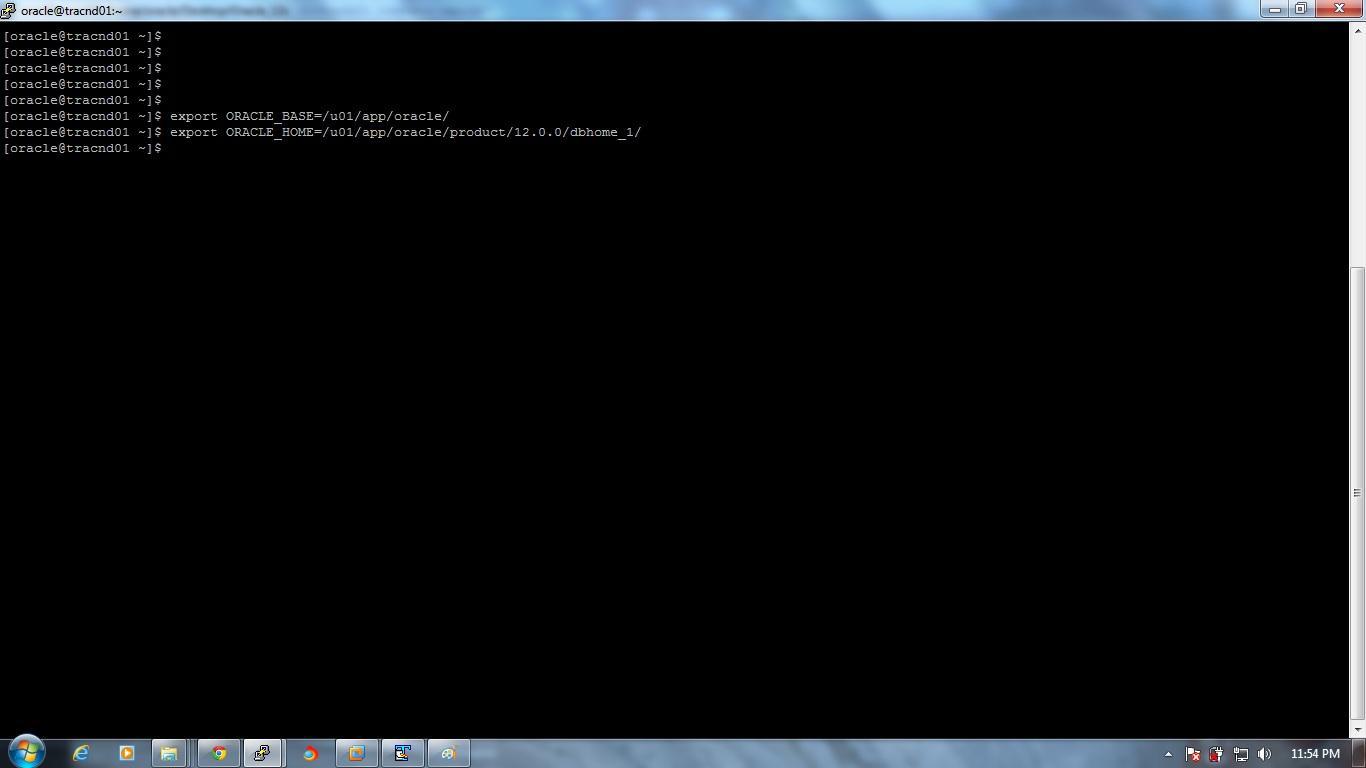
Export Home path
Export ORACLE_BASE=/u01/app/oracle
Export ORACLE_HOME=/u01/app/oracle/product/12.0.0/dbhome_1
 Step 2. Select the path where oracle software is kept and then run
./runInstaller
 Step 3. System details screen will appear.
Step 4. Configure security update screen will appear. Click on next after unselect security updates.
If you select this option you will get security updates from oracle website.
 Click on yes.
 Step 5. Select skip software updates If you don’t want updates and click on next.
Step 6. Select Installation option screen will appear.
I have selected Install database software only.

 Step 7. Select language and click next.
Step 8. Select the database edition.
Step 9. Specify the installation location.
 Step 10. Specify the inventory location.
 Step 11. Specify the operating system groups.
 Step 12. Performing pre-requisites checks.
 Step 13. If any check failed screen appears then like this.
 Step 14. Click on fix again.
 Step 15. Execute fixup script will appear copy script file location and run it with root user.
Run the script generated after clicking on fixup through root user.

Step 16. After that click on ok all pre-check will succeed.

 Step 17. Summary screen will appear. Click on Install.
 Step 18. Installation starts.
 Installation at 83%.
 Step 19. Run the root script with root user.

 Step 20. And finally Oracle Database 12c installation completes.

======================================================================== Thanks, 
Regards,

Tapas Kumar Karmakar.

Friday, May 31, 2013

Analysis on "hidden parameter optimizer_skip_scan_enabled"

optimizer_skip_scan_enabled = false.
I have done a little bit observation on this parameter and find some
think different with and without this parameter.

Steps:

1) Create a table.
2) Create composite index on table.
3) Runned query with two different values of
optimizer_skip_scan_enabled. As true and false.

Observation.

1) If we take optimizer_skip_scan_enabled as false.
   Then query is taking Index_range_scan as a result of which it is
consuming huge number of rows for giving the output.
2) And if we take optimizer_skip_scan_enabled as true.
   Then query is taking Index_skip_scan and output is coming by
traversing only 1 row.

Analysis:
Hidden parameter _optimizer_skip_scan_enabled Explanation.
==========================================================

alter session set "_optimizer_skip_scan_enabled"=false;

PLAN_TABLE_OUTPUT
------------------------------------------------------------------------------------------------------------------------------------------------------------------------------------------------------------------------------------------------------------------------------------------------------------
SQL_ID  9hk2mp74npcn8, child number 0
-------------------------------------
select /* abc */ S,U,T,E,W,TODAY_DATE 
from test where EMP_ID='22608' and EXE_NAME='XYZ' and H='AB000Z'

Plan hash value: 3441529208

------------------------------------------------------------------------------------------------
| Id  | Operation                   | Name             | Rows  | Bytes | Cost (%CPU)| Time     |
------------------------------------------------------------------------------------------------
|   0 | SELECT STATEMENT            |                  |       |       |     1 (100)|          |
|*  1 |  TABLE ACCESS BY INDEX ROWID| TEST             |     1 |    46 |     1   (0)| 00:00:01 |
|*  2 |   INDEX RANGE SCAN          | IDX_TEST_H       |   152 |       |     1   (0)| 00:00:01 |
------------------------------------------------------------------------------------------------

Predicate Information (identified by operation id):
---------------------------------------------------

   1 - filter(("EMP_ID"='22608' AND "EXE_NAME"='XYZ'))
   2 - access("H"='AB000Z')


22 rows selected.

++++++++++++++++++++++++++++++++++++++++++++++++++++++++++++++++++++++++++++++++++++++++++++++++++++++++++

alter session set "_optimizer_skip_scan_enabled"=true;

PLAN_TABLE_OUTPUT
------------------------------------------------------------------------------------------------------------------------------------------------------------------------------------------------------------
SQL_ID  awvqwbdn4zy12, child number 0
-------------------------------------
select /* def */ S,U,T,E,W,TODAY_DATE 
from test where EMP_ID='22608' and EXE_NAME='XYZ' and H='AB000Z'
Plan hash value: 2342613384

-------------------------------------------------------------------------------------------------
| Id  | Operation                   | Name              | Rows  | Bytes | Cost (%CPU)| Time     |
-------------------------------------------------------------------------------------------------
|   0 | SELECT STATEMENT            |                   |       |       |     1 (100)|          |
|*  1 |  TABLE ACCESS BY INDEX ROWID| TEST              |     1 |    46 |     1   (0)| 00:00:01 |
|*  2 |   INDEX SKIP SCAN           | IDX_TEST_L |     1 |       |     1   (0)| 00:00:01 |
-------------------------------------------------------------------------------------------------

Predicate Information (identified by operation id):
---------------------------------------------------

   1 - filter("HOME_SOL_ID"='AB000Z')
   2 - access("EMP_ID"='22608' AND "EXE_NAME"='XYZ')
       filter(("EMP_ID"='22608' AND "EXE_NAME"='XYZ'))

=====================================================================================

index_details
==================
SQL> select index_name,column_name,column_position from dba_ind_columns where table_name='TEST';

INDEX_NAME                     COLUMN_NAM COLUMN_POSITION
------------------------------                         ---------- ---------------
IDX_TEST_L               R_ID                  1
IDX_TEST_L               EMP_ID                2
IDX_TEST_L               EXE_NAME              3
IDX_TEST_LO           S_ID                  1
IDX_TEST_LO           EMP_ID                2
IDX_TEST_HS               H_ID                  1
                               

table details
==================
SQL> desc test
 Name                                      Null?    Type
 ----------------------------------------- -------- ----------------------------
 S                                         VARCHAR2(15)
 U                                         VARCHAR2(15)
 T                                         VARCHAR2(2)
 E                                         VARCHAR2(10)
 W                                         VARCHAR2(8)
 EXE_NAME                                  VARCHAR2(25)